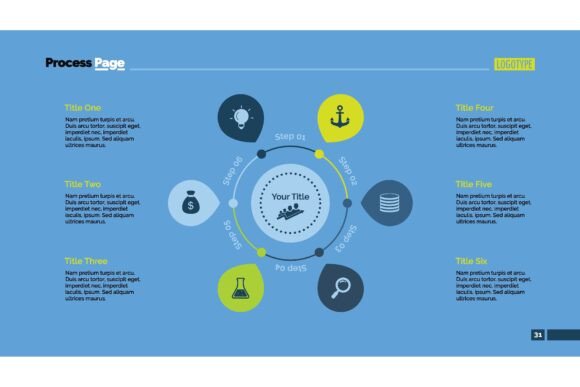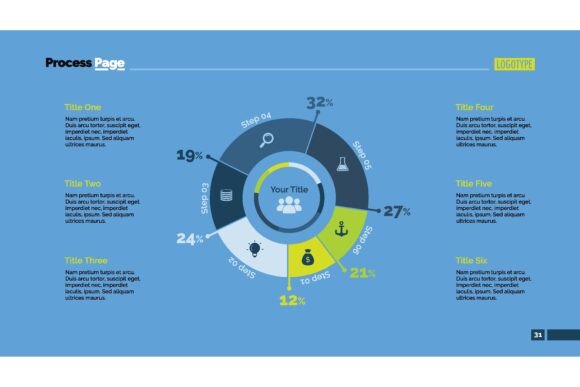
The Six-Sector Doughnut Chart Slide Template: A Practical Guide to Clearer Data Storytelling
Most data slides fail before anyone reads a single number. Not because the information is wrong, but because the visual structure forces the audience to work harder than necessary. The Six-Sector Doughnut Chart Slide Template addresses that challenge directly. It provides a structured, easy-to-grasp format for comparing six related components at a glance, making it a surprisingly versatile tool for anyone who needs to communicate proportions, priorities, or segmentation with clarity and confidence.
Whether you are breaking down a marketing budget, illustrating product portfolio revenue, mapping customer personas, or sharing team capacity, this design encourages a more organized approach. It avoids the clutter of larger pie charts while offering a cleaner alternative to clustered bar charts for certain narratives. The central blank space also creates a natural focal point for a key metric, a logo, or a concise takeaway, which immediately makes the slide more memorable than a wall of numbers.
Why a Six-Sector Format Often Outperforms Other Visuals
The human eye can comfortably distinguish between five to seven categories before cognitive load increases. A doughnut chart with exactly six sectors sits right inside that sweet spot. It invites comparison without overwhelming the viewer. Unlike a 12‑part chart that may require a magnifying glass, the Six-Sector Doughnut Chart Slide Template preserves white space and lets each segment breathe. This makes it particularly effective for decision‑makers who need to scan slides quickly during reviews, pitches, or quarterly business updates.
Additionally, the doughnut shape itself carries a subtle psychological advantage. The open center reduces the “weight” often associated with filled pie charts, making the data appear more accessible and less final. That small perceptual shift can be valuable when you are presenting tentative allocations, scenario models, or workshop findings where the numbers are meant to start a conversation, not end one.
For strategists, the template becomes a planning instrument as much as a presentation slide. When you commit to fitting your data into six focused sectors, you naturally filter out noise. You cannot include every minor expense line or every niche audience segment. That constraint forces you to clarify what truly matters, and that clarity often improves the strategy behind the slide.
Strategic Applications Beyond Basic Reporting
Many people assume doughnut charts are only for financial breakdowns. They work for that, of course. But the Six-Sector Doughnut Chart Slide Template can support a much wider range of business and creative goals when used thoughtfully.
Marketing and Brand Positioning
Use the six sectors to visualize channel performance, content pillar distribution, or brand perception attributes. For example, each sector could represent a different customer touchpoint, with the proportion reflecting influence on purchase decisions. This instantly shows where the brand is over‑indexed or under‑invested. The central space could then display the lifetime value or net promoter score, tying the visual hierarchy together logically.
Operational and Resource Planning
In team management, the template helps display capacity allocation across six major project streams. If your team splits time across client accounts, internal initiatives, and professional development, visualizing the ratios can lead to more honest conversations about trade‑offs. One operations leader we advised started using this slide every month, not just for leadership updates, but to help her team self‑regulate their efforts. The clarity of seeing a balanced or lopsided doughnut encouraged more intentional weekly planning.
Learning and Educational Content
Educators and training designers often need to break down complex systems into digestible modules. The six‑sector layout can represent a framework (e.g., six stages of a learning journey or six core competencies) with each slice sized by importance or time allocation. Learners benefit from a consistent visual metaphor they can recall long after the session ends. It functions like a mental bookmark.
How to Approach the Template Intentionally
The tool itself is simple, but its effectiveness depends entirely on how you set it up. Randomly filling six slices with loosely related topics will not create a compelling narrative. Start by defining the single question the slide needs to answer. If you cannot state that question in one sentence, you are not ready to use the template.
Once the question is clear, follow a short planning sequence:
- Identify the common denominator. All six sectors must belong to a consistent category. If you mix annual revenue, headcount, and satisfaction scores in one chart, the audience will be confused. Stick to one type of measure.
- Label carefully. Each sector should have a clear, short label. Avoid jargon that only a subset of the audience understands. If the label needs a footnote, reconsider the wording.
- Size proportionally to data, not emotion. It is tempting to inflate the slice of a pet project or a priority initiative. Resist that urge. Accuracy builds trust. If you need to highlight a strategic emphasis, use the central area for a callout instead of distorting the proportions.
- Use color with purpose. Choose a palette that aligns with your brand or uses diverging tones to signal contrast. For instance, cooler tones for low‑performing areas and a single warmer accent for the segment needing attention. Avoid rainbow effects that suggest no hierarchy.
Thoughtful preparation like this transforms the Six-Sector Doughnut Chart Slide Template from a decorative element into a genuine decision‑support tool. It shifts your mindset from “what can I show?” to “what should the audience conclude?”
Practical Examples Across Different Roles
An entrepreneur preparing a pitch might use the template to illustrate the six revenue streams of the business, with the central figure showing the total monthly recurring revenue. The visual instantly communicates diversification and dependency. A creative freelancer discussing services with a potential client could map out six potential project components and their relative weight on the timeline, making the scope discussion far more concrete than a text‑heavy proposal.
For a publisher or blogger analyzing content performance, the six sectors could represent topic categories based on traffic share. Seeing a dominant category that overshadows others might prompt a decision to either lean into the strength or rebalance editorial planning. The slide becomes a monthly strategic checkpoint, not just a retroactive report.
Even in personal goal setting, the template has unexpected utility. A financial advisor might use it with a client to portray a current and ideal asset allocation, turning a conceptual conversation into a visual exercise. The six‑sector constraint forces you to group assets into meaningful clusters, which often leads to more actionable insights than a long, granular statement.
When to Choose This Template Over Alternatives
Not every dataset belongs in a doughnut chart, and understanding the boundaries is part of using the tool responsibly. If your data includes more than six important categories, splitting them into two separate charts or using a horizontal bar chart may be better. The moment you start creating an “other” sector that exceeds 10% of the whole, you are losing the precision that makes this format valuable.
The Six-Sector Doughnut Chart Slide Template works best when:
- The parts do sum to a meaningful whole (total market, full budget, complete time block).
- There is genuine value in comparing the proportions to one another, not just absolute numbers.
- The audience already has context about why these six categories matter.
- You want to use the central space for a reinforcing figure or a branding element.
If you need to show precise values or small differences, include a concise data table beside the chart rather than relying solely on the visual. The template provides a rapid comprehension layer; it should not be the sole source of numeric detail for high‑stakes decisions.
Common Pitfalls and How to Avoid Them
One of the biggest risks is using the template without a clear strategic anchor. When a slide is simply a “chart for the sake of a chart,” it dilutes your message. I have seen teams fill the six sectors with whatever data was readily available rather than what would inform the discussion. The result was a slide that looked professional but added zero clarity. If your six sectors do not connect back to a core objective, postpone the chart until they do.
Another misstep is inconsistent labeling logic. For example, mixing adjectives like “growth” with nouns like “partnerships” forces the brain to switch interpretation modes, which increases friction. Ensure all labels are structurally parallel. This small discipline significantly improves how quickly the slide is understood.
Overdesign is equally dangerous. The Six-Sector Doughnut Chart Slide Template comes with strong visual appeal, but adding heavy shadows, complex gradients, or 3D effects quickly reduces readability. Keep the presentation flat and clean. The sophistication should come from the story the data tells, not from decorative effects.
Integrating the Template Into Long‑Term Communication Plans
A single well‑designed slide rarely changes a culture. However, when used consistently across reports, team updates, or client dashboards, the format becomes a signature communication pattern. Stakeholders start to anticipate the structure and can immediately track changes from month to month. This reduces the time you spend explaining the layout and increases the time spent discussing implications.
For small business owners, introducing the Six-Sector Doughnut Chart Slide Template into quarterly reviews creates a rhythm. Instead of presenting a new set of chaotic slides each time, teams know they will see the same clear visual representation of key performance drivers. The consistent framework encourages more honest comparisons and trend analysis. One retailer I know uses it to track in‑store, online, wholesale, subscription, event, and custom sale contributions every quarter. The simplicity made it easier for her entire staff to understand where the business was headed and why certain efforts were being prioritized.
To maximize this long‑term value, document the definitions behind each sector in a shared playbook. When the meaning of “indirect revenue” changes over time, the chart loses credibility. Treat the six categories as commitments that require thoughtful maintenance.
Building Your Story One Sector at a Time
The Six-Sector Doughnut Chart Slide Template is not a magic bullet, but it is a reliable framework that rewards preparation. It works because it imposes a discipline that many slide creators skip: deciding what truly belongs in the center of attention, both literally and figuratively. Whether you are guiding a marketing team through a repositioning, explaining budget reallocations to a board, or teaching a concept that benefits from visual segmentation, the tool can elevate an ordinary data slide into a clear, memorable strategic asset.
Approach it with a specific decision in mind, curate your categories carefully, and resist the temptation to fill the silence with unnecessary decoration. If you can do that, this single template can become one of the most reused and valued items in your visual communication toolkit—helping you make better decisions and communicate them with greater impact.