Understanding School Icon Design: A Practical Guide to Vector Sets and Formats
When educators, designers, or software developers set out to visually represent academic concepts, they often turn to school icon design. This specialized niche covers everything from pencils and blackboards to laboratory equipment and graduation caps—rendered as scalable graphic symbols. Selecting the right icon collection is rarely about grabbing the first set you see. It involves evaluating file formats, editing flexibility, consistency, and how well the assets align with your project’s workflow. This guide helps you weigh those factors, with a close look at what makes certain AI and EPS-based illustration sets stand out, and when they might or might not be the right choice for you.
What Is School Icon Design?
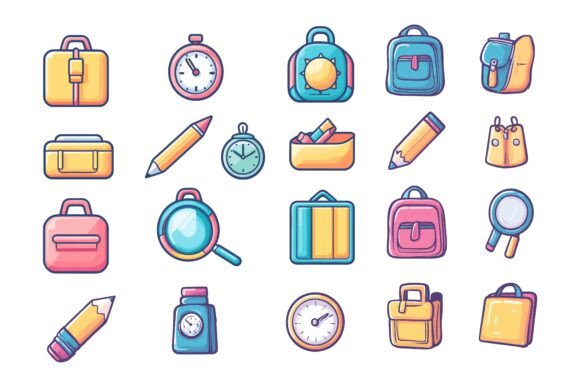
At its heart, school icon design refers to a system of simplified, recognisable pictograms that communicate education-related ideas. These icons can range from bold, flat symbols for mobile apps to detailed, illustrative pieces for textbook infographics. The best sets maintain visual coherence—sharing the same line weights, fill styles, and perspectives—so they work together seamlessly. When you download a professionally crafted pack, you’re not just getting individual images; you’re getting a unified visual language ready to be deployed across learning platforms, campus signage, study apps, or e-learning modules.
Why File Formats Matter in School Icon Design
Before diving into creative tweaks, you need to understand what’s under the hood. A solid school icon collection often bundles multiple file types. The trio of AI (Adobe Illustrator), EPS (Encapsulated PostScript), and JPG covers a broad spectrum of needs. AI and EPS are vector formats—meaning the icons can scale to any size without losing sharpness, making them ideal for both a tiny mobile toolbar button and a massive printed banner. JPG, on the other hand, is a raster format: pixel-based and not suited for heavy resizing, but convenient for quick placement in a presentation or wireframe.
Equipment compatibility also matters. A collection advertised as “Designed for Mac and Windows users” signals that the EPS files, for example, won’t encounter the cross-platform font or preview issues that can plague poorly packaged resources. If your design team uses a mix of operating systems, this cross-compatibility saves frustration and prevents last-minute file conversions.
- AI files preserve full editability in Illustrator, including layers, gradients, and effects.
- EPS files act as a universal vector exchange format; most graphic software can open or import them.
- JPG files give you a ready-to-use, non-editable copy for rapid prototyping or sharing concepts with non-designers.
If your project regularly moves between print and digital, these multiple formats provide a safety net. You can use the same core icon set for a glossy parent handbook, an interactive whiteboard app, and social media graphics—all without re-drawing assets.
Evaluating Editability and Layer Structure
Not all vector packs are created equal when it comes to customisation. One practical differentiator is how the file is organised internally. A collection with a neatly organized file and layer structure lets you open an AI document and immediately see clearly labelled groups: perhaps “backgrounds,” “line art,” and “color fills” separated on distinct layers. This structure transforms editing from a hunt-and-peck exercise into a straightforward task.
Consider a typical scenario: you love an icon set’s style but need to align its colors with your school’s brand palette. If the designer used global swatches and kept all fills on a dedicated layer, you can update the entire set in minutes. Conversely, if the artwork is flattened or deeply nested, you might spend more time untangling shapes than actually designing. The claim that “you can edit it, change colors and modify the icon so easily according to your needs” only holds if the foundational layer organisation supports that promise. Look for previews or sample files that demonstrate this logic before committing.
Consistency and Detail: Hallmarks of a Professional Set
In school icon design, perfection in details and consistency separates a polished set from a mismatched assortment. Consistency means all icons share the same stroke width, corner radius, perspective, and light source. Even a slight variation—one icon rendered in a thin line style while the next uses a chunky flat style—can make your interface or document feel disjointed.
Detail matters at multiple scales. A microscope icon might need to be instantly recognisable at 16x16 pixels inside a course menu, but it should also hold up when enlarged for a science fair poster. Vector-based school icons inherently support this scaling, but the craftsmanship behind the initial design determines whether the details remain meaningful when reduced. A well-crafted set retains readable features (like a clear graduation cap tassel or book spines) without turning into visual noise.
Where AI EPS School Icon Sets Excel
These collections shine brightest in projects that demand flexibility and a professional finish. Here are some situations where choosing a comprehensive AI/EPS pack is particularly well-aligned:
- Multi-platform educational apps. The same icon can be exported at the required pixel densities for iOS, Android, and web, all from a single master file.
- Brand-centric school materials. When you need to recolor every icon to match a specific green-and-gold identity, vector editing tools make the process systematic rather than manual.
- Print-heavy deliverables. Yearbooks, student planners, and large-format banners demand high-resolution output. Vectors never pixelate, so you avoid the fuzziness that can come from upscaling raster images.
- Infographics and data visualisations. Educators and content developers often want to adjust icon sizes to fit statistical graphics. EPS or AI files allow distortion-free resizing while maintaining alignment and clarity.
Additionally, a set that includes JPG copies alongside the editable vectors offers a practical shortcut. You can drop the JPG into a quick mockup or email a preview to a colleague without opening Illustrator, saving time during the early stages of a project.
Balanced Considerations and Potential Trade-offs
While AI EPS-based school icon collections have clear strengths, they aren’t a universal solution. It’s worth examining a few scenarios where alternative approaches might serve you better:
- Limited editing software. If your primary tool is a free online diagramming app that cannot import AI or EPS files, you might struggle to leverage the full editability. In that case, an SVG (Scalable Vector Graphics) pack with simpler structure or even a set of high-resolution PNG files may integrate more smoothly.
- Tight budget and minimal needs. Need just one or two icons for a school newsletter? Free, open-source SVG libraries or Creative Commons-licensed packs might cover your requirements without any cost. However, be prepared for less stylistic variety or the need to combine assets from different artists, which can break consistency.
- Highly specific custom style. If your brand requires a unique, hand-drawn look that no stock set captures, you may still benefit from hiring an illustrator. Even a well-organised, editable set has a predefined aesthetic; you can change colors and modify shapes up to a point, but the core DNA remains.
- Teams without vector editing expertise. Some marketing or content teams prefer to work exclusively with raster images they can drop into Canva or PowerPoint. For them, the extensive layer structure might be overkill, and a simpler collection of PNGs or JPGs in various sizes might be more efficient.
These trade-offs don’t diminish the value of a robust vector set; they simply highlight that the “best” choice is always relative to your actual workflow and software environment.
Practical Decision-Making Criteria for Buyers
To decide whether a particular school icon design collection aligns with your goals, run through this quick self-assessment:
- What is the primary medium—print, web, app, or all three? A product that lists “suitable for print, web, symbols, apps, infographics” signals broad utility, but you must verify that the included formats and resolutions match your specific output needs.
- How much customisation do you really need? If you simply need icons to stay as-is, editability may not be a priority. But if you plan to adapt colors for various departments or themes, prioritise sets with well-labelled layers and global color swatches.
- What software is already part of your ecosystem? A collection designed for both Mac and Windows, and delivered in industry-standard AI and EPS formats, plugs easily into most professional toolchains. If your team uses Sketch, Figma, or Affinity Designer, check whether EPS or AI imports cleanly, or if the vendor provides additional formats.
- How much time can you allocate to organising assets? A promise of a “neatly organized file and layer structure” can significantly reduce setup time. Test this by examining a sample file if available. If the internal naming is cryptic, you might spend more time reorganising than creating.
Answering these questions honestly prevents the all-too-common situation where you pay for a feature-rich pack but only end up using the JPG preview because the learning curve on the editable files feels too steep.
What to Expect from a Premium School Icon Collection
When you invest in a thoughtfully produced school icon design pack, you’re essentially purchasing saved hours and secured quality. The files should arrive with a clear folder structure, perhaps separating formats into directories like /AI, /EPS, /JPG. Icons should be presented in a consistent grid or preview sheet, and documentation—even a brief README—can hint at whether the creator cared about the end-user experience.
Look for signs that the set was designed with an iterative workflow in mind. For instance, if an icon theme uses a single master stroke style and all colors are independent of fills, you can quickly experiment with thickness and palette adjustments. The phrasing “you can edit it, change colors and modify the icon so easily” becomes truly meaningful when backed by such architectural choices. User reviews or portfolio samples often reveal whether the reality matches the description.
Matching the Icon Set to Your Long-Term Goals
Beyond immediate needs, consider how your use of school icons may evolve. A vector-based collection that you can revisit and repurpose remains a durable asset. Today’s e-learning module might inspire next year’s student handbook. Investing in a set with a broad stylistic range—and the flexibility to adapt—means you aren’t starting from scratch each time a new communication need arises.
At the same time, those who only need a one-time batch of icons for a specific event, like a graduation ceremony programme, might reasonably opt for a simpler, less expensive option. The choice involves weighing immediate cost against potential long-term reusability.
Summing Up Your School Icon Design Decision
School icon design sits at the intersection of visual clarity, brand consistency, and technical practicality. A well-constructed AI EPS collection gives you the building blocks to communicate educational ideas with professional polish—provided the file formats, layer organisation, and editing promise align with how you truly work. By examining the details of format support, cross-platform compatibility, and structural neatness, you move beyond marketing language and make a selection based on substance.
Take the time to identify your core requirements: the software you use, the degree of customisation you need, and the variety of outputs you’ll produce. With that clarity, a high-quality school icon set becomes a versatile tool in your design library—one that you can genuinely tailor to your needs, rather than a static resource you use once and outgrow.